Online Course Essentials | Orientation
Strive to make accessibility a regular part of your online course preparation to emphasize visual and organizational clarity and ensure all students can engage with your course.
Course content and materials are accessible; images address color contrast and include alt-text, tables are formatted for screen-readers, hyperlinks use meaningful text, documents use heading structure, bulleted or numbered lists, etc. (Related QM Std. 8.2, 8.3)
Learn More
Learn More
Accessibility
Elements
ICON
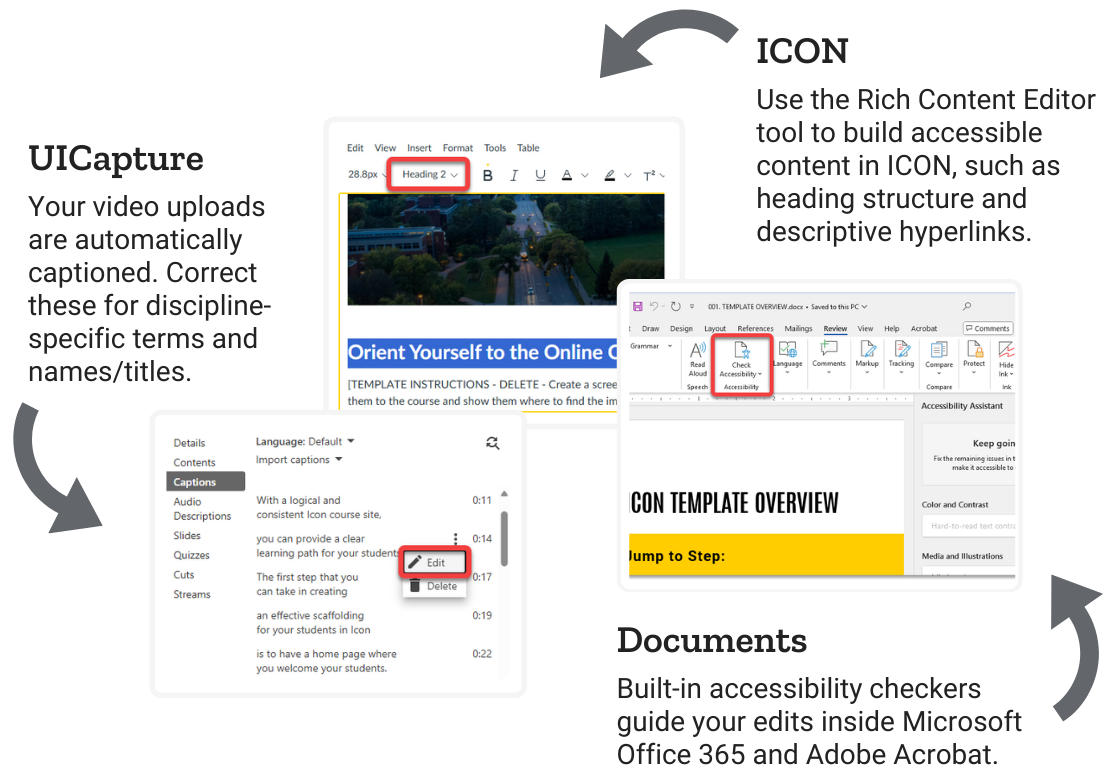
The ICON Rich Content Editor enables you to add text, hyperlinks and images to screens in your online course. Ensure materials and communications in your ICON site can be accessed by all students in your course by following accessibility best practices.
Documents
Use built-in accessibility checkers inside Microsoft and Adobe software. Save time and headaches by ensuring your source documents are accessible, rather than retrofitting fixes after you have shared them with students.
UICapture
Automatic captions in UICapture are typically 90-95% accurate when clearly recorded audio is present in your recordings. The UICapture video editor makes it easy to fix misspellings for discipline-specific terms and names/titles.
Research
Online learning has consistently increased in the past several decades. Research points to the need for training and development on online accessibility practices for online instructors (She & Martin, 2022).
Universal Design for Learning (UDL) aims to provide all students with equal opportunities to succeed by removing barriers and accommodating individual differences. Research suggests that online instructors start integrating UDL in small ways, such as providing transcripts of recorded lectures, and then move onto building more structural UDL elements such as student choice in assignment submission formats (Yang, et al., 2024).
Related Reading
Related Reading
Online Course Accessibility
Discover just-in-time fixes to address high-priority accessibility needs that can make a difference right away. Learn to build accessibility best practices into your course design process to ensure you're creating an accessible experience from the ground up.
Getting Started with Universal Design for Learning
Universal Design for Learning (UDL) is an educational framework that leverages scientific knowledge about human learning processes to create flexible learning environments. UDL aims to provide all students with equal opportunities to succeed by removing barriers and accommodating individual differences.